About Dead City: Zombie Survival
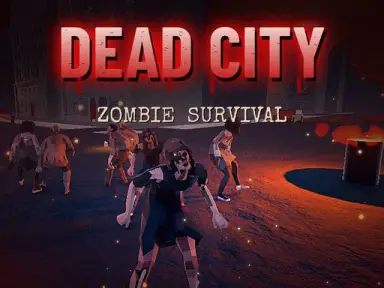
Dead City: Zombie Survival drops you into an apocalyptic landscape days after civilization collapsed. As darkness settles over ruined city blocks, a nearby forest camp, and deserted industrial zones, your main goal is staying alive against hostile undead threats. You will need to search every corner for useful supplies and firearms while navigating through pitch-black areas with a trusty flashlight.
Escaping the danger zone requires quick thinking and reliable transport. In addition to combat on foot, you can hop into operable vehicles to travel across roads and outrun encroaching threats. Keep your weapons loaded, consult your area map regularly, and discover a path to safety before your resources run out.
How to play
- Navigate with WASD, hold Shift to sprint, Space to jump, and press C to crouch.
- Look around with the mouse, use Left Click to fire, and hold Right Click to lock aim onto targets.
- Press R to reload your weapon, numbers 1-3 to switch firearms, and F to toggle your flashlight.
- Press E to interact or enter vehicles, then drive with L toggling your headlights.
- Press M or TAB to view the map, and tap ESC whenever you need to pause.
Highlights
- Diverse environments including abandoned urban streets, a forest camp, and an industrial district.
- Interactive vehicles equipped with operable headlights for faster travel and escape.
- Multiple weapon slots and a lock-on aiming mechanic to defend against attacking zombies.
- Dark atmosphere navigated with a wearable flashlight and a handy map display.
FAQ
Is Dead City: Zombie Survival free to play?
Yes, you can play the game completely free in your web browser without downloading extra software.
Can I play Dead City: Zombie Survival on mobile devices?
Yes, the game is mobile-ready and supports touch controls in landscape orientation.
How do I drive cars in the game?
Approach a drivable vehicle and press the E key to get inside and start traveling.