About Geometry Vibes
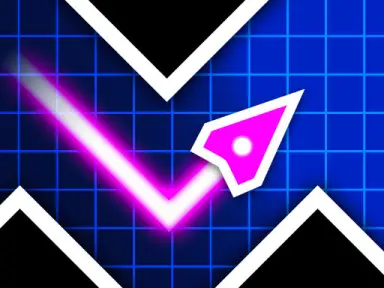
Geometry Vibes tests your reflexes in a fast-paced arcade environment filled with constant movement. Your objective is to steer a moving arrow safely along its course while dodging hazards like sudden spikes and tricky traps that arrive in repeated waves. Every run pushes you to stay focused, react to fast transitions, and travel as far as you can without crashing.
The game accommodates different playstyles, whether you want to practice solo or share keyboard controls with friends for multi-user matches. With landscape view support across desktop browsers and touchscreens, you can easily jump in, steer clear of hazards, and see who survives the longest run.
How to play
- Single Player: Use your mouse, Spacebar, or the Up Arrow key to navigate.
- 2 Players: Player 1 controls with W while Player 2 steers using the Up Arrow.
- 3 Players: Control keys are W for Player 1, Up Arrow for Player 2, and H for Player 3.
- 4 Players: Keys are W for Player 1, Up Arrow for Player 2, H for Player 3, and L for Player 4.
- Mobile: Tap and hold on the screen to guide your arrow.
Highlights
- Supports 1 to 4 players on a single keyboard setup
- Fast-paced reaction arcade gameplay with incoming obstacle waves
- Landscape display layout optimized for browser and mobile touch screens
- Simple control options using mouse clicks, keys, or touch inputs
FAQ
Is Geometry Vibes free to play online?
Yes, you can play Geometry Vibes for free directly in your web browser without downloading anything.
Can I play Geometry Vibes on mobile devices?
Yes, the game is mobile-ready and lets you control your arrow by tapping and holding in landscape orientation.
How many players can play together in Geometry Vibes?
Up to four players can compete together locally on the same device using assigned keyboard buttons.