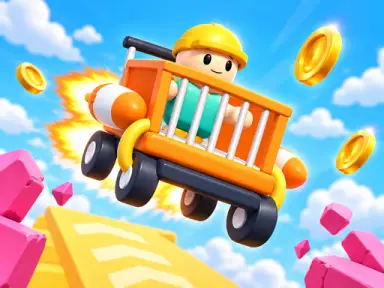
About Obby: Rocket Shopping Cart
Obby: Rocket Shopping Cart puts you in the driver's seat of an unlikely racer equipped with high-powered boosters. As you cruise down vibrant 3D obstacle courses, your main goal is to travel as far as possible before wiping out. Steer past tough road hazards, smash through barriers, launch off giant ramps, and collect coins scattered along the route to fund vital upgrades for your handling, acceleration, and booster power.
Every run gives you a fresh chance to push your high score further across unique environments like Toy City, Candy World, and Dino Jungle. Use your hard-earned earnings to unlock four different vehicles, eye-catching visual styles, and helpful companion pets. With automatic progress saving directly in your browser, you can jump in for quick solo sessions anytime and pick up right where you left off.
How to play
- Steer your cart left or right using the A and D keys or Left and Right arrows (or on-screen touch arrows).
- Hold Space (or the touch boost button) to trigger rocket thrust and speed forward.
- Press S or the Down arrow to slow down and brake when obstacles get tight.
- Press R to recover and finish your run, or hit Escape to pause the game.
- Use your mouse to navigate menus and purchase cart upgrades between attempts.
Highlights
- Eight distinct themed worlds to discover, including Water Park and space courses.
- Four unlockable vehicles along with customizable styles and companion pets.
- Stat upgrades to improve top speed, rocket booster duration, and steering control.
- Automatic browser saving so your coins, unlocks, and distance records stay intact.
FAQ
Is Obby: Rocket Shopping Cart free to play online?
Yes, you can play the game completely free directly in your web browser on Happy Game without downloading anything.
Can I play Obby: Rocket Shopping Cart on mobile devices?
Yes, the game is mobile-ready in landscape orientation and features dedicated on-screen touch buttons for steering and boosting.
How do I upgrade my cart and travel farther?
Collect coins during your runs and use the upgrade menu to increase your cart's speed, rocket booster, and handling.